Management information
A KPI dashboard with your figures.Every morning, on one screen.
No exports and no spreadsheet someone has to keep up to date. A custom KPI dashboard with the handful of numbers you steer by, straight from your own systems.
Hubigen Admin
Dashboards
Examples
Examples of a KPI dashboard.Different figures for each role.
A KPI dashboard shows the handful of figures you steer by. Which ones depends on who is looking.
Managing director
This month's revenue and margin, outstanding invoices, cash position and the sales opportunities in the pipeline.
Sales
Open quotes, conversion per month, average deal value and customers who have not heard from you for too long.
Production and logistics
Orders in progress, lead time, delivery reliability and stock shortages.
Services and projects
Team utilisation, billable hours, overruns per project and hours not yet invoiced.
Data sources
From your own systems.Not from an export.
We look at what data your systems make available and how it can be kept up to date.
Accounting
Revenue, margin and outstanding invoices, straight from your own package.
ERP or business software
Orders, lead time and deliveries, without a detour through Excel.
Planning and time tracking
Utilisation, capacity, overruns and hours per customer and per project.
Warehouse, webshop or CRM
Stock, shortages, new customers, pipeline and conversion.
Rules
Four rules.That keep a dashboard useful.
A dashboard that shows everything does not get read. We cut it down to what you really use.
Why Hubigen
Your figures, without the detour.That is why companies choose us.
A dashboard to steer by, not one to dig through.
What you get
- The figures you steer by, together on one clear screen.
- Figures that update themselves, without exports or manual work.
- Integrations with your accounting, planning, stock or CRM.
- The figures each role needs.
- Direct contact with the people who build it.
When you choose us
- You want to steer by a handful of figures.
- You want nobody to have to scrape figures together any more.
- You want figures from different systems on one screen.
- You want every figure to be tied to an action.
Proof, not promises
What we already measure ourselves.And what clients open every day.
Figures from separate systems brought together in one place.

In practice
How we did it at Heat, Huppa and Hubigen Admin
Heat
For Heat we built a sales dashboard that shows the status of requests and quotes. The team also sees which quotes have been opened and are still awaiting a decision.
Huppa
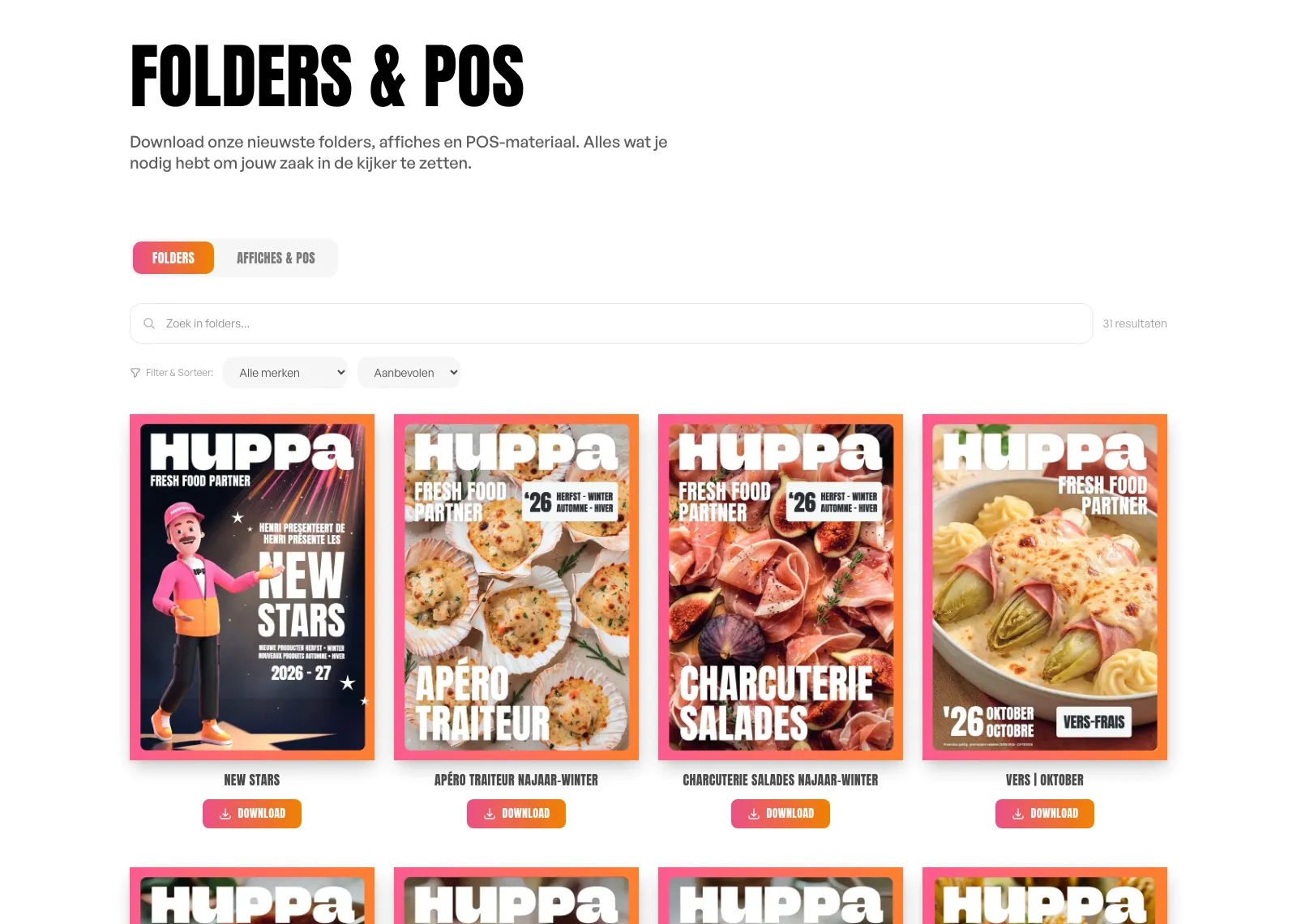
At Huppa we brought marketing and sales dashboards together with the daily planning and the sales material. The use of leaflets and other material becomes visible next to the work of the teams.
Hubigen Admin
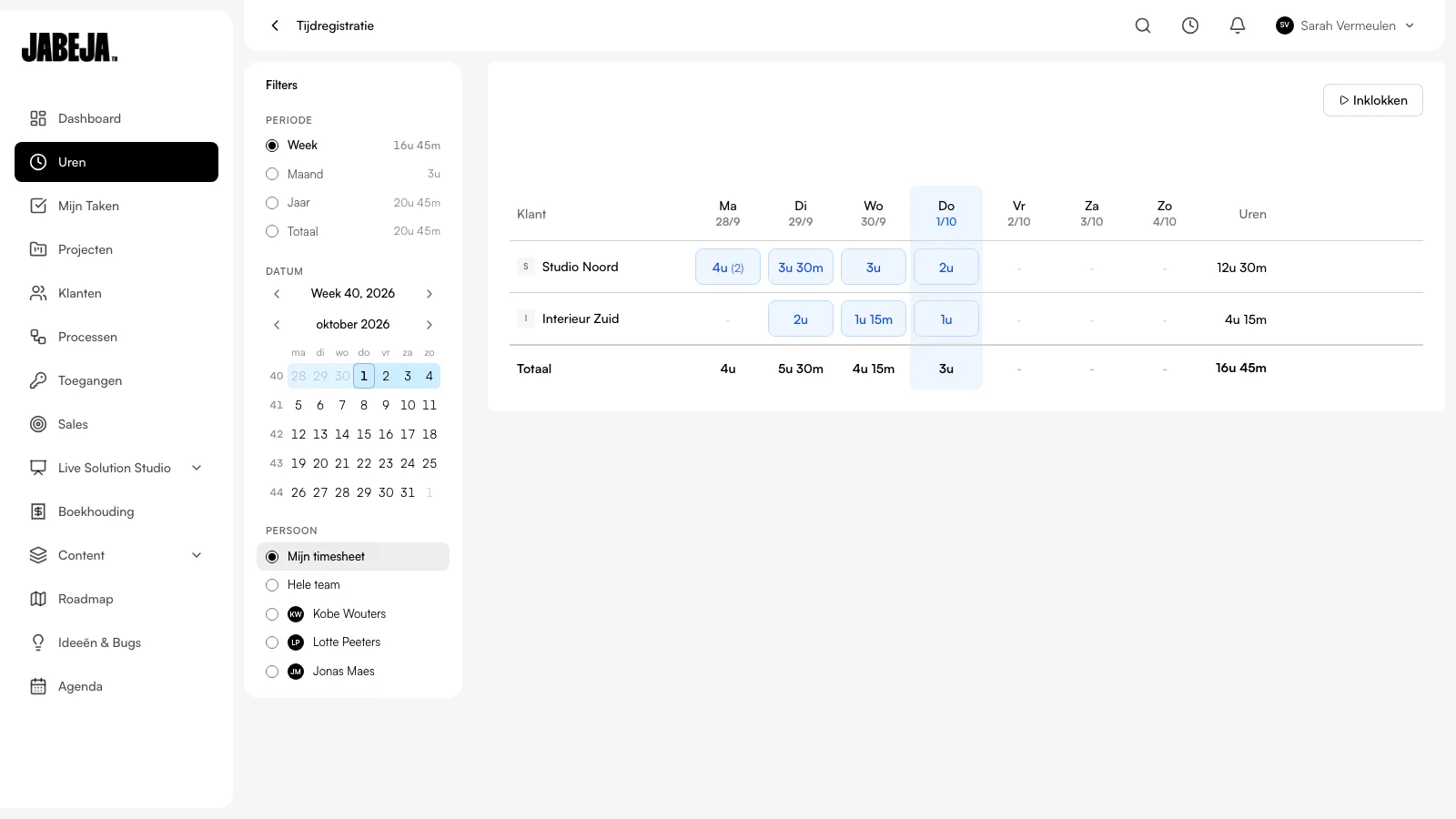
Hubigen Admin brings projects, tasks and hours together in the overviews for our agency. We see where the work stands and open the related task when we need more context.
Get to know us
Which figures do you steer by today?And how long does it take to find them?
Tell us which systems you use. We will tell you whether they can be connected and which numbers belong on your screen.
Questions
What clients ask us.About BI tools, integrations and figures.
One screen with your company's most important figures, the KPIs, updating themselves. Think revenue, margin, open quotes, utilisation or delivery reliability. The difference from a report: a report tells you afterwards what happened, a KPI dashboard shows you today where you need to step in.
Power BI can bring together data from different sources and refresh it automatically. A custom dashboard can be the better fit when the screens and actions need to match the way you work. Compare data sources, permissions, management and what your team actually needs to do with it.
We look at the sources you need, such as accounting, planning, stock or CRM. Then we decide how the data is retrieved, how often it is updated and how errors are followed up.
As few as possible. In practice we end up with five to eight numbers that are really used to steer: revenue and margin, outstanding invoices, utilisation or planning, stock, and the number of open actions. A dashboard that shows everything does not get read.
Yes, with permissions per role. The managing director sees the figures for the whole company, a team lead those for their own team. That way nobody has to ask someone else for a report.
That depends mainly on the number of integrations, not the number of charts. We work per phase at a fixed price. A project often starts with one integration and three figures, and grows from there.
Contact
Work together?Tell us what you want to build.
Curious what we can do for you?Leave a short message about your question or project.